BlendTab
DEEN Login

Household book · Shared expenses

Split expenses.Keep your budget.

Both in one app. No more switching between two finance apps: settle a holiday, the flatshare shop or dinner with friends — and your own household budget keeps itself up to date.

Runs in your browser right away, nothing to install. Apps for iPhone and Android are coming.

Photograph the receiptThe items are listed separately, ready to hand out.
Balance as a QR codeYour banking app fills in recipient, IBAN and amount by itself.
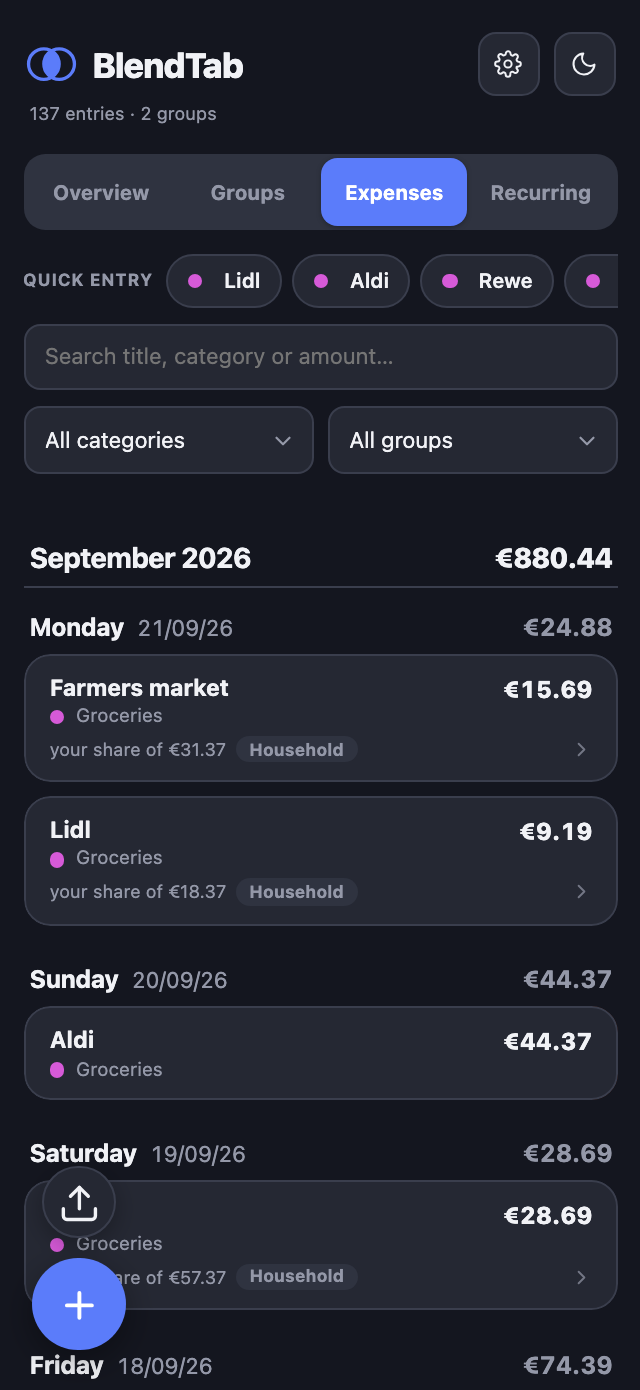
The BlendTab expense list

Enter it once. Right in both places.

Other apps do household book or shared expenses. If you want both, you type every shared expense twice, once here and once there. By the end of the month neither of them adds up. BlendTab makes it one motion.

Your month

Your month

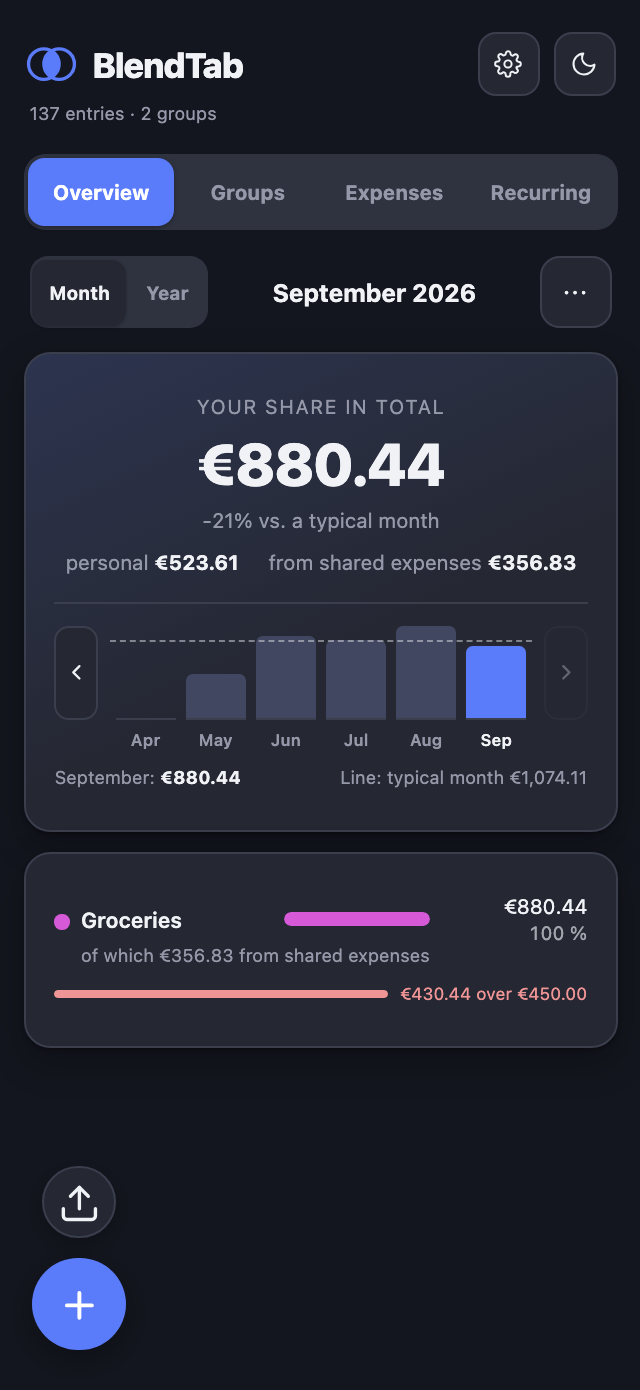
What the month cost you. Your share of everything, personal and shared, in one number. Next to it the months before, with a line for a typical one. You can see at a glance whether this one is out of step.

Your groups

Your groups

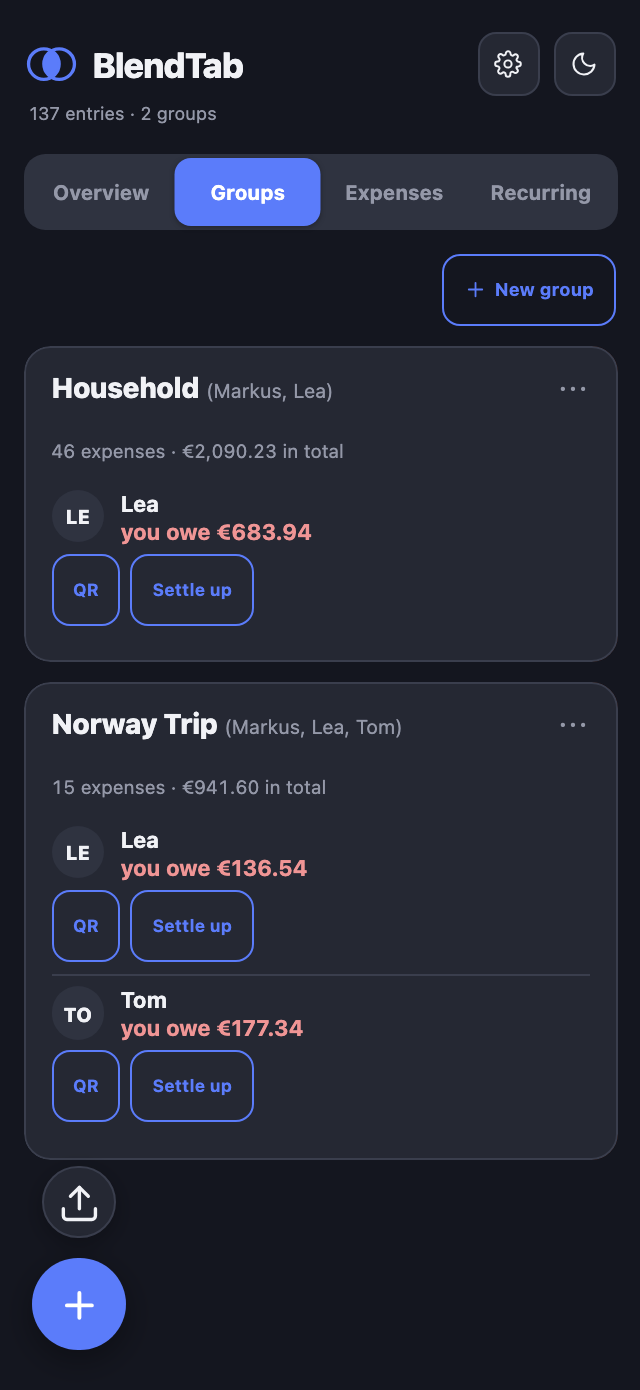
Who owes whom, down to the cent. Next to it the button that turns it into a ready-made bank transfer.

What you get out of it

01

You pay for everyone. Your budget only counts your share.

You put €100 into the holiday fund? BlendTab remembers that the others owe you €75, and still books only your own €25 into your household budget. No typing it twice, no mental arithmetic.

02

Who owes whom how much? It is right there.

Festival, couples’ holiday or everyday flatshare: BlendTab adds up all shared expenses fairly and shows everyone who owes what to whom. Every balance becomes a QR code — your banking app fills in recipient, IBAN and amount by itself.
03

See straight away where your money went this month.

No accounting homework. One number, one bar per category, and a line for a typical month. You can see at a glance how much is left — of your own money and of the shared kind.

04

Keep writing without a signal

Your data lives on your device. With no signal you simply carry on entering. As soon as you are back, everything syncs, and even if two of you typed at once, nothing is lost.

In three steps

  1. 1

    Create a group, bring people in

    A group for the holiday, the flatshare or just the two of you. Whoever joins gets a link.

  2. 2

    Enter expenses

    On the go, in a few seconds. Or photograph the receipt — then the items are listed separately, ready to hand out. Your own share lands in your household budget by itself.

  3. 3

    Settle up, calmly

    A look at the open balances, a tap on the QR code, done. No arithmetic mistakes and no wondering whose turn it is.

Your money is nobody else’s business

This app holds what you buy, where you eat and who you are in debt to. That is not something you treat like holiday photos:

100% GDPR-compliant

Hosted with a German provider, data centre in Germany.

No data sold on

Your financial and expense data is never used for advertising or sold to third parties.

Secure transfer

Every connection is encrypted via TLS — the same as online banking.

A server in Germany

No foreign data centre, nothing handed to ad networks. Everyone who has access at all is named in the privacy policy.

No ads, no tracking, no logs

This is not a statement of intent. The server writes no access log, so there is no file your IP address could be in.

No money moves through BlendTab

The app works out who owes whom and fills in the transfer form. The transfer happens in your banking app, from your account. BlendTab is not a payment service and does not want to be one.

Take everything, delete everything

An archive of everything the server holds about you, at the press of a button. And you delete your account yourself, in the app. No email to a support desk, no waiting.

Ready for finances without the stress?

Get BlendTab for free and bring order to what you share and what is only yours.